Blog › 10 Best platforms for uncensored male AI image generation
10 Best platforms for uncensored male AI image generation
Discover the best tools for uncensored male AI image generation. Create custom characters and high-quality art with privacy.
Key Takeaways
Finding the right tools for artistic creation requires knowing which platforms prioritize your freedom and privacy over restrictive content policies. Uncensored male AI image generation empowers you to create exactly what you see in your mind without artificial boundaries.
- Identify platforms that offer unrestricted model weights rather than heavily filtered inference pipelines.
- Prioritize anonymous creation workflows to keep your creative projects and account data separated from your public identity.
- Utilize pay-as-you-go credit systems to maintain flexibility and avoid unnecessary subscription costs for intermittent usage.
- Leverage image-to-image tools to ensure your character's look remains consistent across different poses, lighting scenarios, and environments.
- Explore community galleries on specialized platforms to see what other creators are building and gather fresh ideas for your own custom personas.
1. Utilizing Animator Hub for unrestricted output
Animator Hub offers a direct path for creators who demand high-quality, filter-free results. Many mainstream generators intercept prompts and block mature or niche themes, which interrupts the creative rhythm for adult artists and hobbyists. This platform removes those hurdles by hosting models that focus on raw artistic expression rather than corporate safety standards.
Working with an uncensored backend means the model processes your description literally. You can define specific body types, complex lighting, or intense character chemistry without seeing an error message. This tool is designed to support the needs of digital artists and solo creators who require specific, high-fidelity output for their portfolios or personal storytelling projects.
To see how the platform organizes its generation modes, consider this breakdown of available options:
- Text-to-Video: Converts plain descriptions into moving scenes up to 15 seconds long.
- Image-to-Video: Animates still portraits while maintaining character features.
- Video-to-Video: Applies style transfers or clothing changes to your existing footage.
- Text-to-Image: Provides high-resolution single frames for quick creative testing.
After setting your mode, the system handles the heavy lifting of rendering, allowing you to focus on the details of your prompt rather than worrying about whether your subject matter will pass a classifier.
2. Leveraging custom character builders for male personas
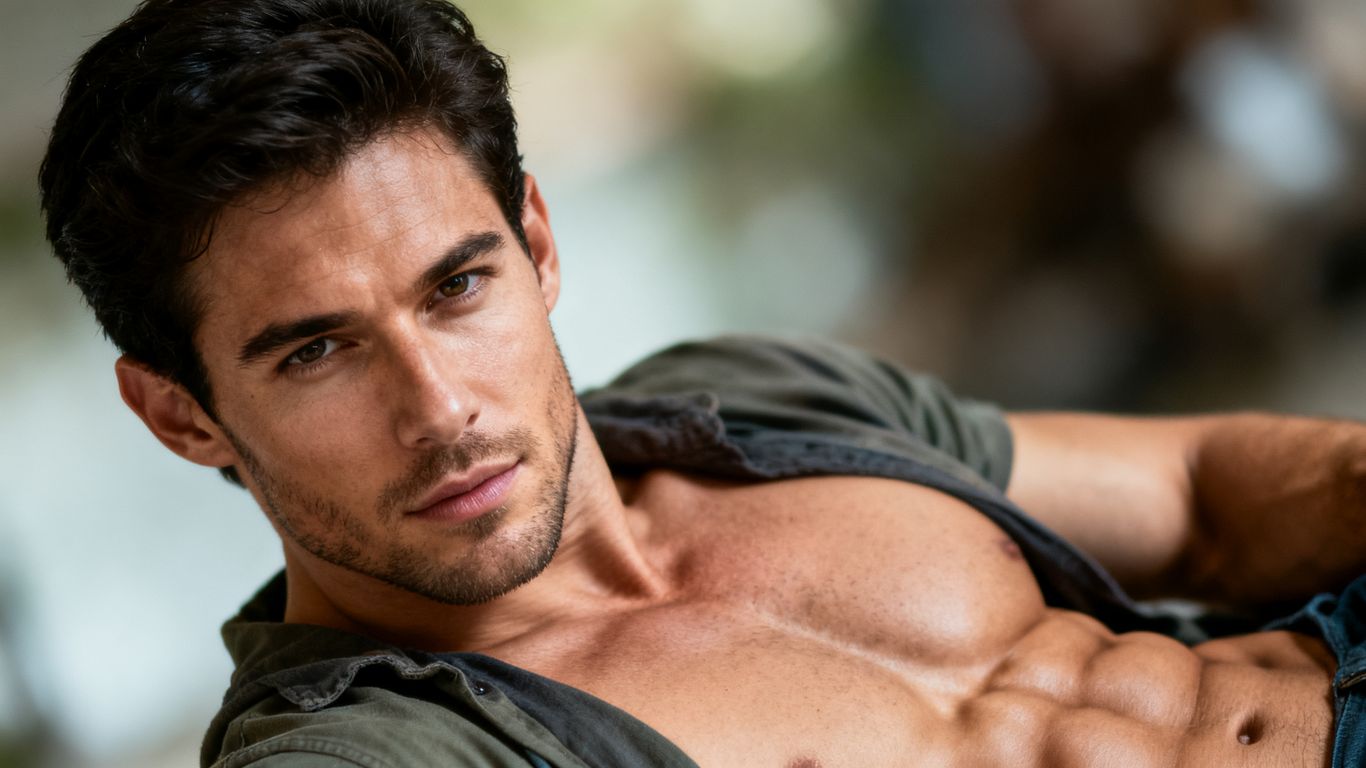
Building a persistent male character starts with defining clear traits early in the creation process. When you use tools dedicated to character consistency, you save significant time because the system tracks features like hairstyle, facial structure, and build across each session. A strong foundation allows the generator to render your character accurately in every new scene you dream up.
Many creators find that describing the character's clothing and professional role helps ground them in a believable setting. Whether you want a stoic athlete or a sophisticated professional, providing clear identifiers such as occupation, ethnicity, and general expression guides the AI toward a more cohesive visual. This level of technical input is exactly what makes the AI Girlfriend generator and boyfriend-oriented tools stand out for those building long-term artistic projects.
Maintaining a clean reference list for your characters ensures that your aesthetic output remains stable over months of generation. Staying consistent with your character look is the primary reason why professional creators select platforms that support robust reference uploads. By keeping these references tidy, you avoid the common pitfalls of facial morphing or accidental changes in style between generation cycles.
3. Implementing advanced text-to-image prompt strategies
Writing effective prompts for uncensored output requires a blend of clinical description and aesthetic direction. You should treat the prompt box as a technical command interface where you list the subject first, followed by the environment, the camera angle, and finally the lighting conditions. Avoiding vague adjectives helps the model focus on your core intent, leading to sharp, intentional images that require fewer rounds of editing.
If you find your images lack punch, try adding specific lens settings or film stock names to your instructions. Mentioning a 35mm lens for a candid feel or using high-contrast lighting descriptions shifts the final texture toward something grounded and professional. These fine-grained details act as a reliable substitute for the missing guidance that standard, heavily filtered platforms might have provided through their own restrictive presets.
Experimenting with negative prompts is just as important as perfecting the positive ones. By explicitly stating what you do not want in a frame, such as blurry backgrounds, distorted hands, or over-saturated colors, you push the model to prioritize your primary vision. This combination of strict negative constraints and descriptive positive prompts forms the basis of a repeatable success cycle for your independent projects.
4. Prioritizing privacy with anonymous AI platforms
Privacy remains a central concern for anyone creating adult imagery or niche fantasy content. Using platforms that allow for anonymous sign-ups or crypto-based payments ensures that your activity is never linked to your financial footprint or public presence. Anonymity allows creators to experiment, fail, and succeed without the fear of social blowback or accidental data leaks.
Modern tools like Animator Hub emphasize this privacy by stripping away the need for display names and public IDs. Your workspace remains yours alone, providing a dedicated area to manage files without risk of public exposure. Choosing a platform with a clear Cookies Policy and a firm stance on user anonymity is an essential step for building an untraceable creative workflow.
The value of an anonymous workspace is not just in hiding your activity, but in providing a judgment-free environment where you have full command over your visual output without interference or external tracking.
When your content is stored in a private space accessible only by you, the entire creative process becomes easier to manage. You no longer need to worry about algorithmic interference or social hooks that require you to curate an image for anyone but your own personal taste.
5. Mastering aspect ratio and framing for male subjects
Choosing the correct frame size changes how the audience interacts with your male subject. Portrait aspect ratios work exceptionally well for solo features, emphasizing the scale of the character, while cinematic wide shots provide the negative space needed for complex background storytelling. Setting these parameters before you hit generate ensures that the composition does not feel cramped or poorly balanced when the final render finishes.
Think about where you plan to share or use your work when you pick these dimensions. If you are aiming for social platforms, a vertical frame might feel natural, but if you want a film-like story, stick to a standard 16:9 ratio. Many Pro Studio tools include these switches directly in the interface, making it easy to toggle between different layouts for every shoot.
Framing should also dictate your prompt’s focus. If you select a tight headshot frame, prioritize skin detail and micro-expressions in your prompt. If you go for a full-body composition, focus heavily on posture and clothing texture. Matching your prompt density to the chosen aspect ratio is a classic technique used by experienced digital artists to achieve high-quality results from every generation.
6. Enhancing character motion with AI video tools
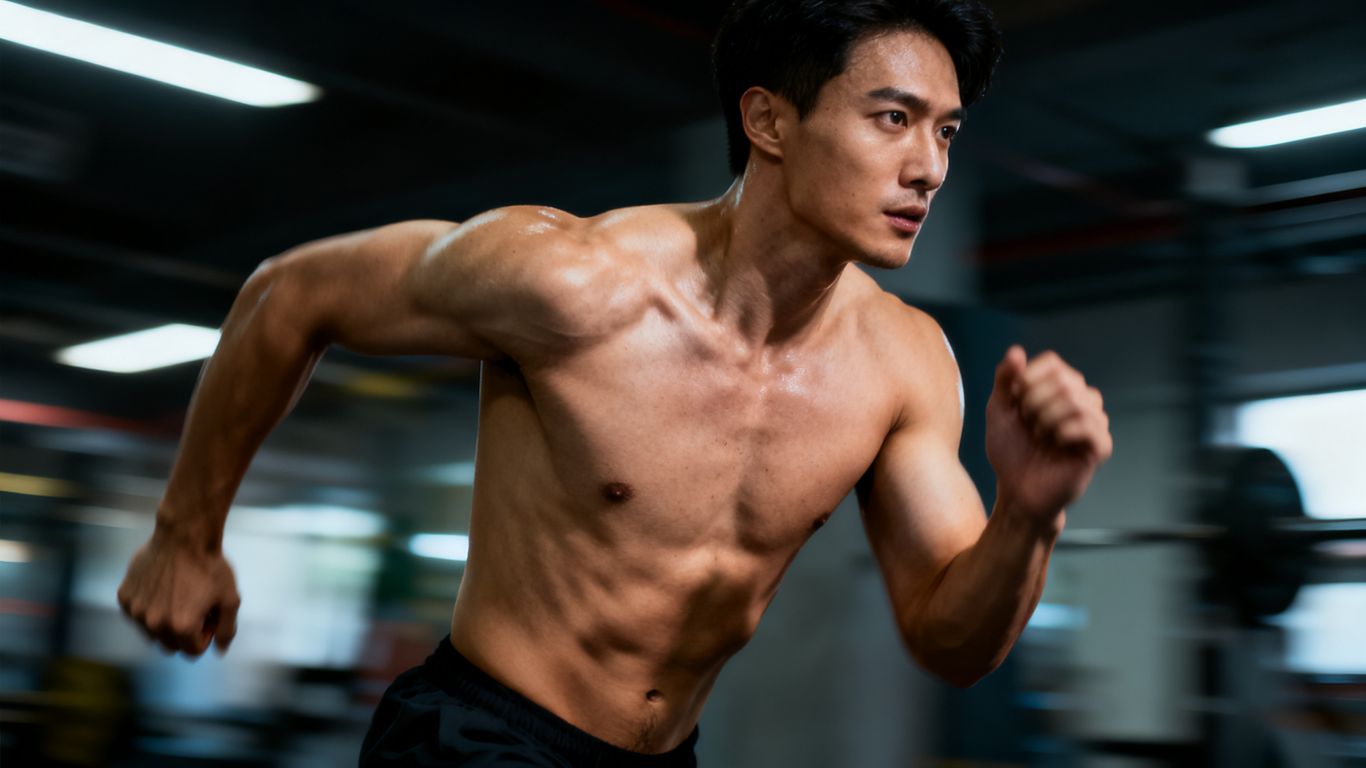
Moving beyond static frames introduces a deeper level of realism to your work. When you incorporate motion, you need platforms that handle scene dynamics, such as clothing movement and shifting expressions, during the rendering process. Using Image to Video workflows is the most effective way to keep your character recognizable while adding that sense of life that standard static images cannot provide.
Understanding how to control motion involves learning vocabulary for camera movement, like pans, tilts, and tracking shots. Giving the model instructions on how the camera moves around the subject transforms a simple clip into a mini-narrative. This is the stage where uncensored AI tools really shine, as they allow for complex character interactions that mainstream video platforms simply refuse to touch.
Watching how other artists interpret motion prompts can save you hours of trial and error. As you watch these generated clips, notice how subtle shifts in light or slight changes in frame composition create a more immersive viewing experience. These small details separate a amateur loop from a compelling, high-fidelity video sequence that holds an audience's attention.
7. Utilizing image-to-image workflows for visual consistency
Consistency defines professional work, and image-to-image workflows are the secret to keeping your characters constant. When you take a previous generation and use it as a reference for a new prompt, you tell the model to respect the existing structure of your subject while altering the context. This allows you to place the same man in different locations, outfits, or emotional states without losing his defining traits.
This workflow is essential for anyone creating a story-driven series. If you rely on random generations, you will inevitably find that your character’s jawline or hair might drift away from your original concept. By maintaining a library of base source images, you ensure that even as the scene changes, the character remains the same.
Applying this process requires you to be picky about your source material. Always choose clear, high-resolution references for your character’s face and upper body. Feeding the model a clean source frame allows it to preserve the specific look you have built, making every subsequent variation feel like a genuine evolution of the same underlying project.
8. Taking advantage of flexible pay-as-you-go credit models
Many users prefer the predictability of a pay-as-you-go system over a monthly subscription that may go unutilized. Because your creative output might fluctuate throughout the month, a credit-based approach ensures you only pay for what you actually produce. This budget management method is perfect for keeping your artistic creation costs tied directly to your active output.
To see how credit packages usually translate, consider this standard comparison of value:
| Credits | Cost | Price/Sec | Value |
|---|---|---|---|
| 100 | $30 | $0.30 | Starter |
| 500 | $125 | $0.25 | Most Popular |
| 1000 | $200 | $0.20 | Best Value |
Selecting a package depends on whether you are doing weekly updates or daily rapid-fire sessions. Larger packs lower your effective cost per second, which rewards high-volume creators who know their cycle volume. This model avoids the dreaded subscription fatigue, allowing you to pause your project entirely without penalty if you are busy with other commitments.
9. Organizing male-centric content in private media vaults
Keeping your digital workspace organized is the hallmark of a serious creator. A private media vault allows you to group related generations into folders, which makes finding specific character iterations much faster over time. If you use Animator Hub Blog tips for project management, you will find that segmenting your work by character or scene style effectively manages your workflow velocity.
Don't rely on your computer’s local disk alone. Utilizing cloud-based private storage built into your generation platform keeps your files accessible anywhere without requiring constant cross-device syncing. The ability to bulk delete failed renders or move successful ones into named albums simplifies the cleanup process and keeps your dashboard clean and functional.
Treat your vault like a professional media library. Give your project albums clear names, set up your folder structure immediately after starting a new character, and prune your library periodically to only keep the best iterations. This proactive approach saves mental energy and keeps the platform's interface from feeling cluttered, ultimately making your future generation sessions more productive.
10. Engaging with community galleries for creative inspiration
Community galleries represent a treasure trove of technical knowledge if you know how to read them. When you browse the work of others, look beyond the final visuals and study the prompts that lead to them. You will often see common themes in composition, lighting, and camera choice that you can adapt to your own male-focused projects.
Participating by checking out public Uncensored AI Image Generator content regularly helps you stay current with new styles that the community is developing. It is not about copying ideas, but about observing how others navigate the limits of the AI to get excellent results. This observational learning sharpens your own intuition, allowing you to spot which models are best for which artistic challenges.
If you find a style you like, try to deconstruct the visual elements. Ask yourself: what angle was used, how is the subject illuminated, and what specific descriptive words are likely at play? Engaging with the community in this analytical way turns browsing into an active part of your skill refinement process, keeping you ahead of the curve as models and techniques continue to improve.
Conclusion
Navigating the options for uncensored male AI image generation is about finding a workflow where your technical needs and privacy concerns align. Whether you are building complex characters with no restriction models or creating short cinematic sequences, the platforms that offer the most control are those that prioritize the individual creator's autonomy. By staying organized, keeping your sources clean, and using the right tools to maintain consistency, you have everything necessary to push your creative vision to the limit without compromising your identity or your intent.
Frequently Asked Questions
What does the term uncensored mean in AI generation?
An uncensored AI generator is one that removes the standard content classifiers that mainstream platforms use to block specific subject matter, allowing the model to generate broader themes based on your raw input.
Can I achieve consistent character looks across multiple AI videos?
Yes, by using image-to-image workflows or reference uploads, you can keep specific character features fixed while changing the pose, outfit, or environment in each new generation.
Why do some AI platforms require credit payments?
Pay-as-you-go credit systems are used because high-quality AI rendering consumes massive computing resources, and this model allows you to pay for the exact output volume you need without long-term subscription lock-ins.
Is my data safe when using anonymous generation tools?
Anonymous platforms usually offer end-to-end private vaults and do not associate your identity or public profiles with your work, which significantly minimizes the risk of your content being exposed to others.
How can I make my male character look more realistic?
Focusing on lighting details, lens choices, and skin texture in your text prompts is highly effective, as is using source image references to guide the model toward a specific physical type.
What is the advantage of using video-to-video tools?
Video-to-video tools let you take existing footage and apply new artistic styles or character changes automatically, providing a better foundation for motion than starting from a static picture.
Can I generate images simultaneously using multiple models?
Some specialized platforms allow you to send a single prompt to several models at once, which is an excellent way to see which style or rendering approach works best for your current artistic project.