Blog › Reddit NSFW AI LLM: A guide to adult AI creation with AnimatorHub.ai
Reddit NSFW AI LLM: A guide to adult AI creation with AnimatorHub.ai
Reddit NSFW AI LLM - AnimatorHub.ai: adult AI video prompts, privacy, credits, and workflows.
Key Takeaways
Adult AI discussions often mix text-based LLMs, image tools, and video generators, so clear definitions help.
- Reddit threads can suggest workflows, but platform features and rules should be checked directly.
- Adult video creation may start from text, a still image, or an existing video.
- Strong prompts describe the subject, setting, movement, camera, lighting, and style.
- Consent, age verification, private storage, and careful publishing decisions remain part of the workflow.
- Credit-based generation makes short test clips easier to budget and revise.
Understanding Reddit NSFW AI LLM discussions
The phrase “Reddit NSFW AI LLM” usually points to community conversations about unrestricted text models, roleplay, image creation, or adult video workflows. Those are related subjects, but they are not the same technology. A useful starting point is to identify whether a post discusses writing, character chat, still images, or moving footage. Community language is often casual, while product capabilities need a more careful reading.
What users typically mean by NSFW AI LLM
An LLM is primarily a text system that predicts and produces language. In adult discussions, people may use one for roleplay, story development, prompt drafting, or character dialogue. Some Reddit posts also use “LLM” as a broad label for any AI tool, even when the actual system produces images or video. That loose usage can make a recommendation sound more capable than it is.
How text-based LLMs differ from AI video generators
A text model can help describe a scene, but it does not automatically render motion, framing, or a finished clip. A video generator interprets a prompt, still image, or source video and produces moving footage. The practical difference matters: a prompt written for dialogue needs different information from one describing camera movement, body motion, lighting, and duration.
For readers comparing technical discussions, an uncensored LLM models reference can clarify what text-focused systems are designed to do. That background is useful, but it should not be treated as proof that a particular video platform supports the same model or controls.
Why platform capabilities and content policies matter
An adult label does not tell you everything about a service. Check the accepted inputs, output resolution, duration choices, privacy settings, payment model, and rules around real people. Also confirm the age requirement and the limits involving minors or non-consensual material. Policy details shape the workflow, not just the final prompt.
Separating community recommendations from verified features
Reddit can be useful for finding prompt patterns and hearing about common failures, but posts may be old, incomplete, or based on a different version of a tool. Separate personal experience from documented functionality. A sensible check asks four questions before you spend time or credits:
- What generation modes are actually listed?
- Which input formats and durations are supported?
- Are uploaded files private, and can visibility be changed?
- What content rules apply to the intended scene?
Those questions turn a vague recommendation into a workable production brief.
What AnimatorHub.ai offers adult creators
AnimatorHub.ai is documented as an 18+ AI video platform for generating 1080p clips from text, images, or existing video sources. Its three listed modes are Text-to-Video, Image-to-Video, and Video-to-Video. The service uses a pay-as-you-go credit system rather than a subscription requirement for video generation. The controls are broad enough for short tests, visual studies, and adult scenes, provided the user follows the platform’s rules.
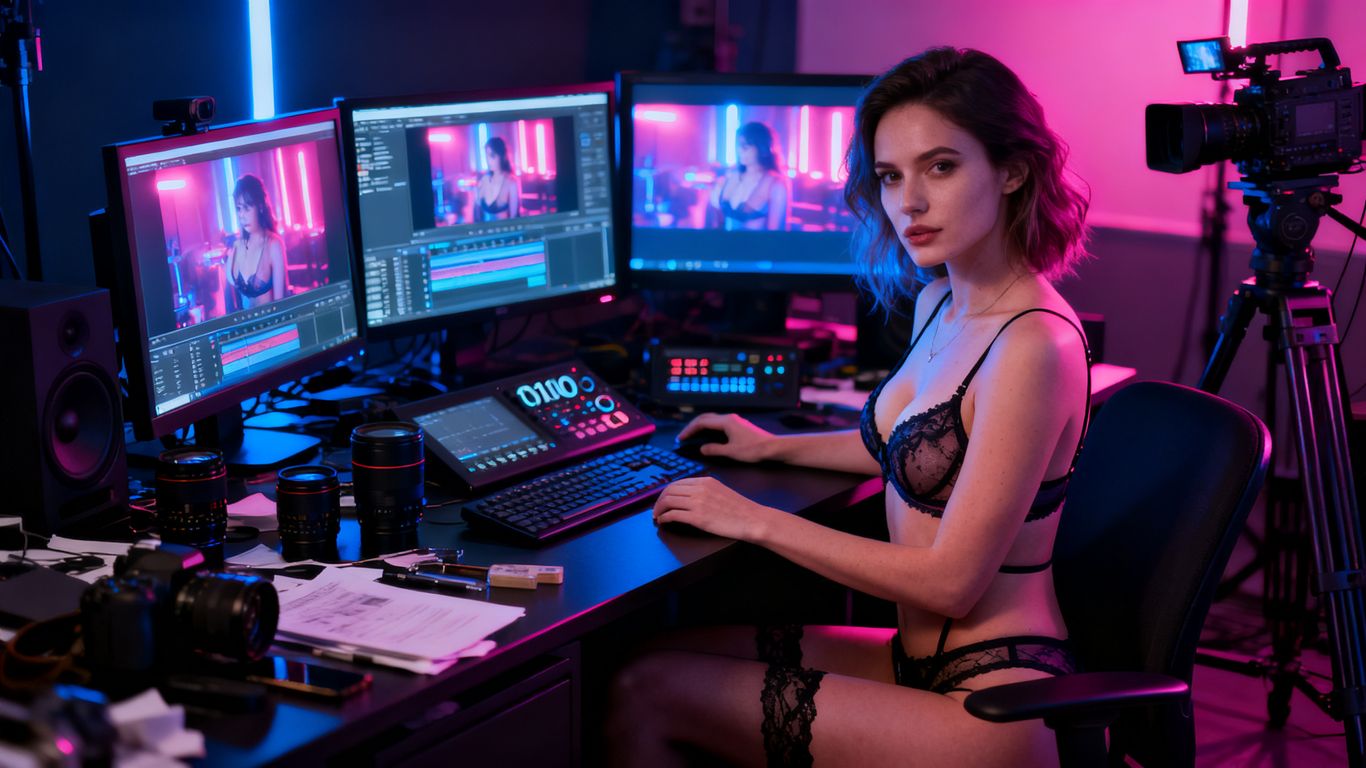
Text-to-video generation from detailed prompts
Text-to-Video turns a plain-language description into a video clip. The documented prompt areas include subjects, environment, lighting, camera movement, and style, so a useful prompt gives the system more than a subject label. The available durations for this mode are 5, 10, or 15 seconds, which makes short variations practical when refining a scene.
Image-to-video animation for artwork and photos
Image-to-Video accepts PNG, JPG, or WEBP still images and animates them into a moving clip. The system interprets the image and applies motion, expressions, and scene dynamics described in the prompt. This approach suits artists who already have a character or composition and want movement without starting from a blank text description.
Video-to-video transformation and restyling
Video-to-Video accepts up to three MP4 or MOV source clips, each between 2 and 30 seconds and no larger than 100MB. The documented controls support style changes, scene changes, restyling footage, and changes to clothing or environments. Output durations for this mode are 5 or 10 seconds, so longer source material may need to be handled as separate segments.
1080p output, aspect ratios, durations, and shot types
The creation interface lets users select aspect ratio, duration, and shot type for each generation, with cinema-grade 1080p output listed among the core features. These choices affect how a clip fits a portrait, landscape, or square destination. Before generating, match the framing to the intended use rather than trying to repair every composition afterward.
| Generation mode | Input | Listed duration choices | Useful starting point |
|---|---|---|---|
| Text-to-Video | Detailed text prompt | 5, 10, 15 seconds | New scene or shot |
| Image-to-Video | PNG, JPG, or WEBP | 5, 10, 15 seconds | Artwork or photo animation |
| Video-to-Video | Up to three MP4 or MOV clips | 5 or 10 seconds | Restyling existing footage |
| All modes | Aspect ratio, shot type, and prompt controls | Varies by mode | Matching a target format |
The table shows why mode selection should happen before prompt writing. Start with the input you already have, then choose duration and framing around the shot you want to test.
How to create NSFW AI videos on AnimatorHub.ai
A reliable workflow begins with access and planning rather than a long string of provocative terms. The platform requires users to be 18+ and verify age on the first visit. After signing in, you can select a generation mode, set the shot controls, write the prompt, and review the estimated credit cost before starting. The private adult video workflow guide is also a useful reference for connecting privacy, prompts, and visibility choices.
Completing the 18+ age gate and signing in
The first visit includes an age gate requiring confirmation that the user is 18 or older. The documented sign-in option is Google OAuth, which supports one-click sign-in and sign-up. Use an account you control, and read the linked terms, privacy policy, and content policy before uploading personal or commissioned material.
Choosing the right generation mode
Choose Text-to-Video when the scene exists mainly as an idea. Choose Image-to-Video when a still artwork or photo already establishes the appearance. Choose Video-to-Video when you want to transform or restyle existing footage. The right mode reduces unnecessary prompt complexity because the input already carries part of the visual information.
Writing prompts for subjects, motion, lighting, and camera work
A useful video prompt moves from the subject to the action, then adds the environment and visual treatment. Include the subject’s visible features, the movement you want, the setting, light direction, shot size, camera motion, and style. Keep the language direct. “Slow handheld push-in, warm window light, medium shot, subject turns toward camera” gives the generator more usable direction than a mood word alone.
Using negative prompts and prompt enhancement
Negative prompts can identify unwanted results such as extra limbs, unstable framing, blurred faces, or accidental text. The platform documents both an auto-enhance prompt option and automatic negative-prompt generation. Treat those tools as a first pass, then inspect the result and add only the corrections that address a visible problem. Too many competing exclusions can make a prompt harder to interpret.
Planning longer sequences with multi-shot controls
The multi-shot narrative mode is intended for longer cinematic sequences with timestamps. Break the story into clear shots, giving each one a subject, action, setting, and camera instruction. Keep repeated details consistent across timestamps, and use short segments when a character or location must remain recognizable. A sequence plan is easier to revise than one crowded paragraph.
Prompting techniques for more consistent results
Consistency comes from repeating the right information without filling the prompt with unrelated decoration. Describe what the viewer should see, how it moves, and how the camera records it. For adult work, keep the subjects clearly adult and avoid wording that could create age ambiguity. Small changes between generations are normal, so the process is usually one of review and adjustment.
Defining appearance, environment, and artistic style
Start with visible facts: adult subject, hair, clothing, pose, location, time of day, and material textures. Add style after the physical description, such as cinematic, painterly, anime, or realistic treatment. If an uploaded image provides the appearance, focus the prompt on motion and scene dynamics instead of repeating every visual detail.
Controlling movement, framing, and cinematic vocabulary
Motion verbs should be specific and physically plausible. Use terms such as pan, tilt, tracking shot, slow push-in, close-up, wide shot, shallow depth of field, or locked camera when they fit the intended shot. State whether the movement is gentle, quick, circular, or still. This gives the system a clearer relationship between subject action and camera behavior.
Maintaining character and scene continuity
Repeat the details that must survive from one shot to the next, including hair, wardrobe, room layout, lighting direction, and camera side. Avoid changing several variables at once during revisions. When working from a reference image or source clip, let that material carry stable appearance information while the prompt handles the new action.
Avoiding ambiguous or restricted subject descriptions
Use adult wording that is clear rather than relying on slang, euphemisms, or descriptions that could suggest a minor. Do not use real-person material without permission, and never include minors or sexual content involving minors. The platform’s adult policy has hard limits around minors and CSAM, regardless of artistic framing or fictional presentation.
Reviewing outputs and refining prompts
Watch the whole clip before deciding what to change. Note whether the issue is identity drift, unwanted motion, poor lighting, awkward framing, or a mismatch between the prompt and the source image. Change one or two instructions at a time, then compare the next result. Keeping a small record of successful wording can make later sessions faster and more consistent.
Privacy, consent, and content rules
Adult creative freedom still needs clear boundaries. The documented service requires users to be 18+, prohibits content involving minors and CSAM, and stores uploaded files privately under the user account. Consent matters whenever a real person’s image, likeness, or source footage is involved. Before publishing anything, decide whether the people shown would understand and agree to that use.
Keeping uploaded files private and account-linked
Uploaded files are documented as private and tied to the account. That is useful for source images and clips that should not appear in a public feed, but it does not remove the need for careful file handling. Keep original files backed up securely, avoid uploading material you do not have the right to use, and check visibility before sharing a finished result.
Understanding anonymous account features
The account model is described as anonymous by design, with no public profile, public display name, avatar, or public identity. Email is visible only to the account owner inside the user dropdown. Anonymous presentation can reduce exposure, but it is not a substitute for protecting login access or reviewing the service’s privacy terms.
Following the prohibition on minors and CSAM
Users must not create, upload, request, or transform content involving minors or CSAM. This applies to fictional, edited, reference-based, and source-video workflows. If a description, image, or clip creates uncertainty about age, stop and replace it with an unambiguous adult subject before continuing.
Obtaining consent for real-person images and source material
Get clear permission before using someone’s face, body, photograph, or video as a source. Consent should cover the intended transformation and any planned publication, not just the initial upload. Avoid treating a publicly available image as permission for sexualized alteration. The same standard applies to collaborators, models, partners, and commissioned source material.
Deciding whether to publish videos in the Explore gallery
The Explore gallery contains community videos that creators have set to public. Keep a creation private when it includes sensitive source material, identifiable people, or an unfinished test. If you do publish, review the clip, thumbnail, prompt overlay, and framing first. Public visibility is a deliberate choice, not a required step in generation.
Credits, workflow, and managing generated videos
The service uses a transparent pay-as-you-go model for video generation. One credit equals one second of generated video, so duration directly affects the cost of each render. A practical workflow starts with short tests, keeps successful prompts, and moves to longer clips only after the scene behaves as expected. The wallet and generation history help track that process.
Understanding the one-credit-per-second pricing model
The pricing rule is one credit for one second of generated video. A 5-second test therefore uses fewer credits than a 15-second version, while the exact package cost depends on the credits purchased. Credits do not expire once purchased, according to the documented wallet information, which can make gradual testing easier to plan.
Choosing between starter, popular, and best-value credit packages
The listed packages are 100 credits for $30, 500 credits for $125, and 1,000 credits for $200. The 100-credit option is labeled Starter, the 500-credit option is labeled Most popular, and the 1,000-credit option is labeled Best value. Crypto payments are supported, while card payments are listed as coming soon in the source material.
Monitoring generation progress and completion notifications
My Videos shows generation states including pending, processing, completed, failed, and expired. In-progress videos refresh automatically every 15 seconds, and the interface provides realistic estimated completion times based on prior runs. A completion notification includes a thumbnail and a Watch button, so you can move from processing to review without repeatedly refreshing the page.
Organizing results with My Videos and albums
The private library supports albums, drag-and-drop ordering, and bulk actions. You can group prompt tests, approved shots, source-based work, or scenes from one project. This structure becomes more useful as variations accumulate, especially when the same character or location appears across several short clips.
Downloading, regenerating, hiding, or deleting creations
Completed videos can be watched and downloaded, while visibility can be toggled between private and public in Explore. Individual creations can be deleted, and multiple videos can be selected for bulk deletion or album changes. Failed or expired generations can be regenerated with the original prompt, duration, ratio, and negative prompt pre-filled, which saves time when a technical retry is all that is needed.
Conclusion
A good adult AI video workflow separates community advice from verified features, starts with a clear generation mode, and treats prompts, consent, privacy, and budget as parts of the same production decision. With short tests and careful review, creators can turn a rough idea into a more controlled sequence without losing sight of who appears in the source material or who can see the finished clip.
Frequently Asked Questions
What does NSFW AI LLM usually mean?
It usually refers to a text-focused language model used for adult roleplay, writing, character chat, or prompt development, although online discussions sometimes use the phrase for other AI media tools.
Can an LLM create a finished video by itself?
A text-based LLM generally produces language. Finished video requires a video generation system that can interpret prompts, images, or source footage and render motion over time.
What makes an adult AI video prompt more useful?
Describe an unambiguous adult subject, the action, setting, lighting, camera movement, framing, duration, and visual style. Clear physical instructions are usually more useful than a long list of mood words.
Is consent needed when using a real person’s image?
Yes. Obtain permission for the image, the transformation, and any publication you plan. Public availability of a photograph does not automatically grant permission for sexualized or altered use.
Why are short test clips useful?
Short tests let you evaluate identity, movement, framing, and lighting before spending more credits or time on a longer sequence. They also make prompt comparison easier.
What should creators do with uncertain age descriptions?
Do not proceed with ambiguous material. Replace it with a clearly adult subject and remove wording or source details that could suggest a minor.
Should every generated video be published publicly?
No. Keep sensitive, unfinished, or source-based material private unless you have reviewed the content, confirmed consent, and made a deliberate decision to publish it.