Blog › The ultimate guide to creating AI porn: tools, techniques, and best practices
The ultimate guide to creating AI porn: tools, techniques, and best practices
Create custom AI porn with advanced tools. Master prompting, video generation, and privacy settings for adult creators.
Key Takeaways
Creating professional quality adult clips currently requires mastering specific technical generation workflows and choosing the right environment for your creative needs. This guide summarizes how to operate effectively while maintaining your privacy and technical standards.
- Use dedicated uncensored models to avoid restrictive content filters.
- Implement text-to-video tools for efficient scene-based storytelling.
- Manage credits via pay-per-second systems to maximize your budget.
- Secure private storage to organize thematic collections of work.
- Apply age verification protocols to ensure compliance and safety.
Understanding current AI pornography technology
The shift toward high-fidelity generative video
Generative technology has matured rapidly from static, pixelated images that rarely held up under scrutiny to high-definition video files. Modern models now preserve consistency across frame rates, allowing for smooth motion that makes AI Porn Sites a viable outlet for professional creators. This transition from basic pixel manipulation to coherent cinematic movement defines the current era of digital adult media production.
How text-to-video models work for adult content
These platforms utilize complex diffusion models trained on vast datasets of human anatomy and motion. Creators input natural language prompts which the AI translates into multi-dimensional video sequences. The underlying architecture understands physical dynamics and lighting, turning simple phrases into rendered scenes that act as a foundation for realistic video clips.
Key differences between image and motion generation
Static image generation focuses on rendering a single, high-detail frame, which is often sufficient for character sheets or portraits. In contrast, motion generation requires temporal consistency, ensuring that subjects remain identifiable as they move. While image generation remains faster, current video models enable creators to craft elaborate narratives that were previously impossible with still content.
The role of uncensored platforms in creative freedom
Many mainstream AI developers block explicit themes, forcing creators to seek specialized platforms. A truly uncensored environment allows for total artistic expression, granting the autonomy to depict any scenario without artificial restraints. Relying on specialized generators like Animator Hub ensures that your specific narrative choices are supported by the software architecture.
Choosing the right AI video platform
Features to look for in an adult-focused AI generator
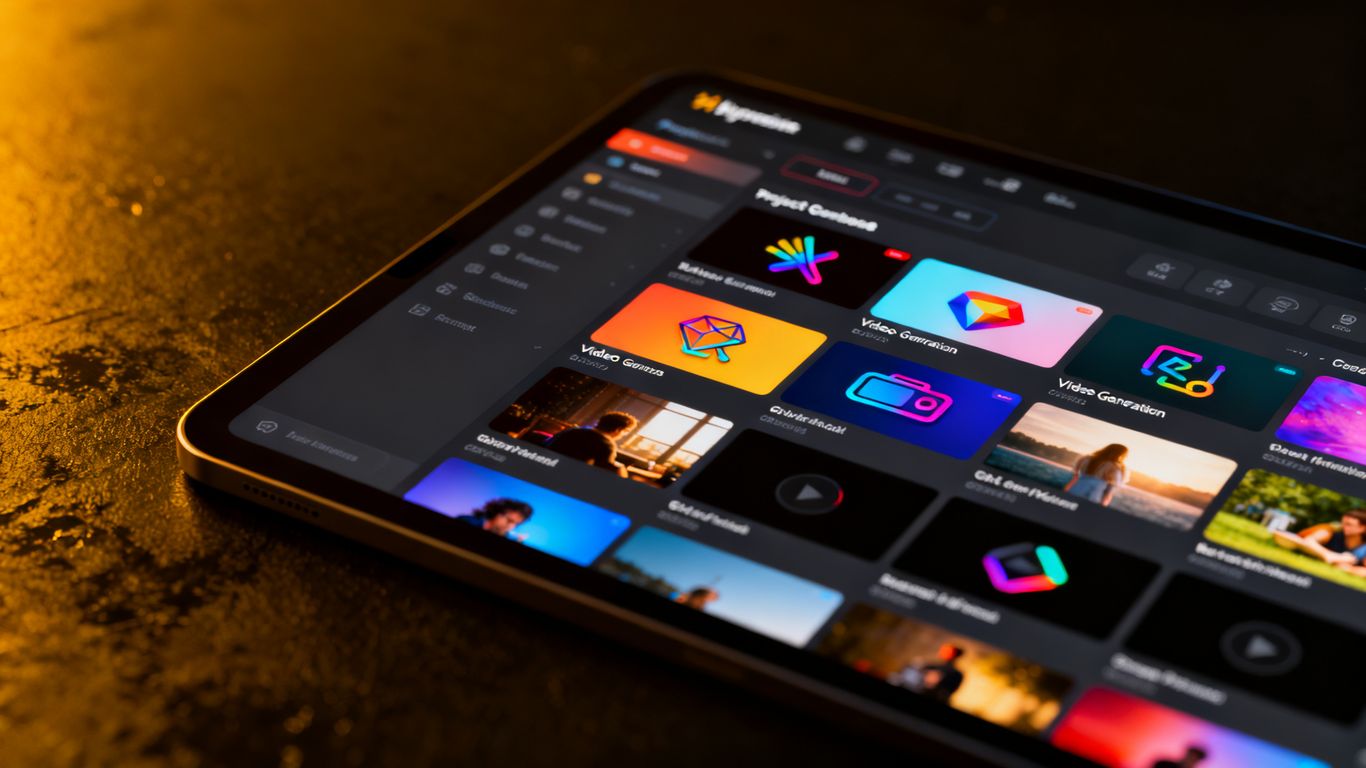
Selecting the right environment involves more than just generation capabilities; you need tools that support your specific workflow. Look for platforms that offer adjustable aspect ratios and multiple duration settings. A platform that provides direct access to AI Porn Videos catalogs or community explorations can serve as a massive inspiration source during the initial planning stages.
Advantages of pay-per-second credit systems
Subscription models often force you to pay for idle time or unused capacity. A pay-per-second credit system ensures that you only spend resources on the actual output you generate. This creates a flexible experience where small test clips cost significantly less, keeping your budget strictly aligned with your actual creative output.
Why anonymous accounts are essential for user privacy
Professional creators often require a separation between their personal life and their digital work. Platforms providing anonymous account structures ensure that your identity and activity remain private. Using services that avoid public social profiles protects you from unwanted associations while you focus purely on the production of your content.
Evaluating community galleries for creative inspiration
Publicly shared creations help you understand what current models are capable of achieving. By observing the work of others, you learn to identify which prompt patterns yield the most reliable results. Examining the diverse collection on XVIDEOS reveals different trends in style and lighting that you can then adapt for your own creative projects.
Mastering the art of prompt engineering
Structuring effective prompts for cinematic results
Your prompt serves as the blueprint for the entire scene, and small changes in phrasing can lead to drastically different outcomes. Professionals often build their prompts by starting with the primary subject, then layering in environment, action, and camera style. This gives you the ultimate control over every cinematic visual detail within a given sequence.
Using negative prompts to minimize visual artifacts
Negative prompts tell the machine exactly what to exclude, making them vital for maintaining image quality. By listing artifacts, blurry textures, or unwanted anatomical errors, you clean up the resulting frames before they even finish rendering. Most high-performance platforms now offer an automatic generator for these, which you should verify for consistency.
Adding descriptive vocabulary for lighting and composition
Adding art-house or film-specific terms such as "volumetric lighting" or "low-angle shot" fundamentally changes the presentation of your video. Think about the mood you want to evoke, then describe it using terms borrowed from photography, such as "dramatic shadow" or "soft golden hour light," to see how the model interprets these atmospheric instructions.
Defining character personality and aesthetic details
Consistency in character appearance relies heavily on defined traits, recurring style cues, and repeated descriptive adjectives. Providing the model with a rigid set of physical identifiers for your protagonist ensures they remain recognizable throughout different lighting conditions and action sequences.
Maintaining a library of these descriptors allows you to scale your production without reinventing your subjects every time you start a new session.
Advancing projects with specific generation modes
Utilizing text-to-video for scene-based storytelling
Text-to-video mode is the starting point for most workflows because it allows you to invent scenes from scratch. You can build entire scenarios simply by stacking descriptive sentences. The following table highlights the distinct generation modes available to you for complex projects:
| Generation Mode | Primary Use Case | Key Advantage |
|---|---|---|
| Text-to-Video | Building new narrative scenes | Creative freedom |
| Image-to-Video | Animating static art portraits | Character consistency |
| Video-to-Video | Modifying captured source media | Style transformation |
Animating still images into dynamic moving clips
When you already have high-quality character art, it is more efficient to use image-to-video mode. By uploading a single image of your character, you allow the model to interpret their posture and apply natural movement. This bridges the gap between your static fan art and the evolving standards of moving media.
Transforming existing footage with video-to-video tools
Video-to-video mode allows you to take any existing clip and re-render it in a different style. Whether you are aiming to change clothing, environments, or art styles, this mode acts as a powerful post-processing tool. It requires careful setup of your prompts to guide the AI's transformation process without losing the original camera motion.
Planning multi-shot sequences for narrative depth
Longer projects require a structured sequence of short, coherent shots joined together. Plan your sequence by organizing each 5 to 15-second generation into a logical storyboard. This prevents visual burnout and allows you to refine specific transitions, resulting in a cohesive experience rather than disjointed clips.
Managing your private media library
Organizing generated content into thematic albums
Once your project scales up, library management becomes the primary challenge. Use the album system to categorize your work into logical folders based on characters, scenarios, or active narrative arcs. This helps you track iterations of a specific subject, ensuring you can quickly identify which versions worked best for your audience.
Using bulk actions to streamline your workflow
Efficiency depends on how you handle your files after generation. If you find a series of clips that don't meet your standard, use a bulk delete feature rather than removing them one by one. Conversely, when you find a set of successful renders, move them into your archive or current project folder using bulk selection tools.
Troubleshooting techniques for failed or expired generations
Sometimes a prompt fails or a connection drops, but professional platforms provide clear error logs to help you recover. If a file expires, the most effective technique is to use the original metadata to trigger a regeneration. Always keep a list of your most effective prompts so you can re-submit them if a processing error occurs during peak traffic times.
Secure storage and downloading best practices
Your library is your private collection, so ensure you download files to secure, encrypted devices once you finish your work. Regularly audit which files you want to keep online and which ones you should move to cold storage. Maintaining a local archive is a standard recommendation to guarantee you preserve your creative work long-term.
Privacy, safety, and content policies
Navigating platform-specific safety and content rules
Every studio has a set of guidelines that dictate what is permitted within their ecosystem. Reviewing the platform policy page periodically ensures you are compliant and avoids unnecessary account friction. Animator Hub maintains a policy that enables artistic openness while adhering to strictly legal guidelines regarding content safety.
The importance of age verification protocols
Legal compliance relies on verifying the age of individuals accessing these sites. Platforms prioritize this by implementing gate systems that confirm you are an adult before any content is visible. Participating in these protocols is an important part of supporting a secure and responsible industry.
Maintaining anonymity throughout the creative process
Digital safety starts with anonymity, meaning no personal information should ever be linked to your generation sessions. Using platforms that operate through secure OAuth or encrypted credit payment methods keeps you untracked. This ensures your explorations remain your private business, safely hidden from your personal day-to-day identity.
Responsible use of uploaded source material
If you choose to upload personal reference footage or photos, always remember to verify the platform's data retention policy. Respectful creation means understanding the rights associated with the content you bring into the system, and opting for platforms that offer clear options to delete your data permanently. By keeping your source files clean and using secure tools, you remain in full control of your creative footprint.
Conclusion
Ultimately, mastering AI-driven creation empowers you to produce professional content with limited overhead. By refining your prompt engineering, selecting purpose-built platforms, and maintaining a secure, organized workflow, you can fully explore your creative potential in a private, high-quality environment.
Frequently Asked Questions
How does prompt engineering affect the quality of adult video generation?
Prompt engineering acts as the specific guidance the AI follows; precise instructions regarding body details and lighting directly translate into sharper and more accurate visual output.
Are anonymous tools safer for regular creators?
Yes, anonymous tools ensure that your identity is never tethered to your content, which is a major benefit for creators who want to keep their professional and private lives distinct.
How do I maintain visual consistency in a multi-shot video?
Consistency is best achieved by reusing the same core subject description and style identifiers across all prompts in a sequence, ensuring the character looks the same from shot to shot.
Can I edit or modify content after it has been generated?
Most modern generation platforms allow you to use video-to-video modes or external editing software to refine the output, allowing you to iterate on your initial clips until they meet your needs.
What should I do if my generation results are blurred or pixelated?
Blurred results usually stem from overly vague prompts, so adding specific lens settings or stylistic descriptors and excluding low-quality terms via negative prompts often resolves these visual artifacts.
Is it possible to use private photos as reference material?
Many platforms support image-to-video generation from uploaded files, but you should always verify that the platform offers secure, private data handling before uploading your own references.
Do I need to be a technical expert to start creating?
No, you just need to learn the basic vocabulary of the platform; most sites provide built-in guides that simplify the process for beginners who have never used deep learning models before.