Blog › NSFW male image-to-image AI: A practical guide to creating private adult visuals
NSFW male image-to-image AI: A practical guide to creating private adult visuals
NSFW male image-to-image AI: prompts, references, privacy, consent, and adult video workflow tips.
Key Takeaways
NSFW male image-to-image AI works best when you treat the reference, prompt, and privacy settings as one connected process.
- Start with a clear source image showing the features you want to retain.
- Use short, specific prompts for appearance, pose, lighting, and setting.
- Adjust composition and style gradually instead of changing everything at once.
- Generate only with the consent of identifiable adults and keep files private.
- Use image-to-video when natural movement matters more than a still result.
Understanding NSFW male image-to-image AI
NSFW male image-to-image AI takes an existing picture and produces a new visual based on that source and a written prompt. The process can change the setting, clothing, mood, lighting, and artistic treatment while keeping selected visual traits. Results depend on the source image, the strength of the transformation, and how clearly the prompt describes the intended change. A careful workflow gives you more control and fewer unusable generations.
What image-to-image generation can change
An image-to-image model can treat the source as a visual starting point rather than a fixed final picture. You might preserve a face and body position while moving the subject into a different room, changing the color palette, or shifting from a photographic look to an illustrated one. It can also alter wardrobe, background detail, camera angle, and perceived time of day, though large changes may affect identity and anatomy.
Start with one major change, then add smaller adjustments after the first result. A prompt such as “adult male subject, seated beside a window, warm evening light, relaxed expression, realistic editorial photography” gives the system a clear direction without forcing every detail at once. Small prompt changes make it easier to see which words are helping.
How reference images influence the result
The reference image supplies visual information that text alone cannot fully describe, including facial structure, hair, proportions, and the relationship between the subject and the camera. A front-facing portrait usually preserves facial traits more reliably than a shadowed or heavily cropped image. A full-body source gives better information about stance and proportions, but it may provide less detail for the face.
Think of the reference as an anchor. If you want a consistent character across several images, keep the source conditions similar and change only one or two creative variables per generation. Expressions, head turns, hands, and unusual body positions are common points of drift, so review each output instead of assuming the model preserved everything.
Image-to-image vs. image-to-video workflows
Image-to-image is suited to still visuals where you want to revise appearance, setting, or style. Image-to-video begins with a still image and adds movement, expressions, and scene dynamics described in a motion prompt. The two workflows can sit next to each other: first refine a still, then use that approved frame as the basis for a short clip.
Use image-to-image when the final asset is a portrait, poster, or single scene. Use image-to-video when a slow camera move, a change in expression, or natural body movement is central to the result. Keeping the first image simple helps the later motion stage interpret the subject more cleanly.
Why privacy and consent matter for adult imagery
Adult imagery needs more than technical attention. Use a source image only when the person has agreed to this type of transformation, and never use the likeness of someone who has not given permission. Do not create or request sexual imagery involving minors, young-looking subjects, or uncertain ages. You should also check local rules before saving, sharing, or selling adult material.
A private workflow starts before the upload button. Keep source files in a controlled folder, remove unnecessary metadata, and decide in advance who can access the finished images. For broader context on the ethics and practical limits of adult generation, this adult AI guide offers another useful starting point.
Choosing a suitable reference image
A strong reference image gives the model enough visual information to work from without introducing blur, odd shadows, or confusing background objects. The best source is not necessarily the most polished photo. It is the one that clearly shows the traits you want to preserve and leaves room for the requested changes. Think about face visibility, body position, lighting direction, and how tightly the frame is cropped.
Selecting clear, well-lit source images
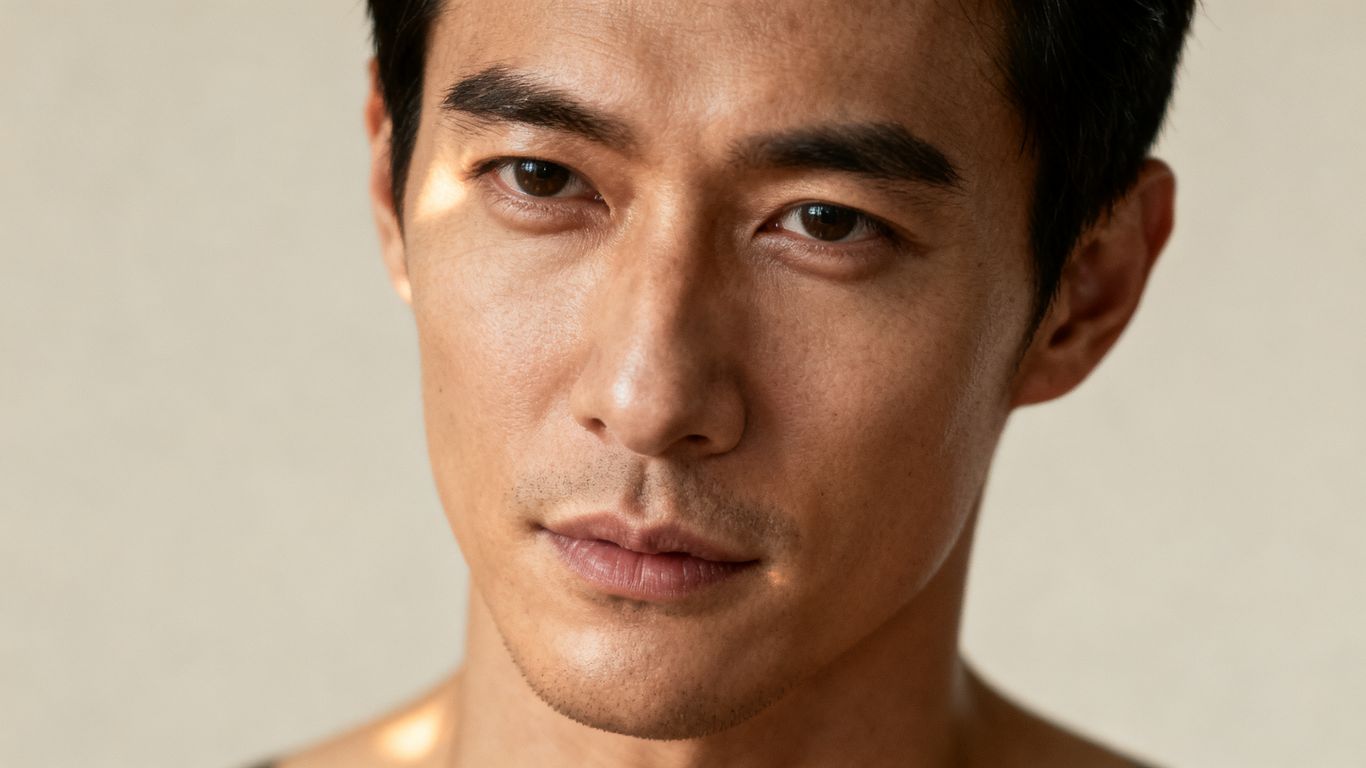
Choose a sharp image with even light and a visible face. Soft window light or a simple studio setup usually works better than colored nightclub lighting, strong backlight, or a heavy filter. If the source contains several people, clutter, or reflective surfaces, the model may give attention to the wrong visual cues.
A neutral expression is often a useful starting point because it leaves room for later changes. If expression is part of the identity you want to retain, select a source where the eyes and mouth are easy to read. Avoid excessive sharpening, compression artifacts, and blurry motion.
Preparing portraits, full-body shots, and artistic references
Portraits are useful for facial details, hair, skin texture, and expression. Full-body images provide more information about posture, clothing, and proportions. Artistic references can guide color, linework, or mood, but a heavily stylized source may make it harder to preserve a realistic likeness.
Before uploading, crop away unrelated people and distracting objects. Keep the subject large enough in the frame to show the features that matter. For a set of related images, use a small collection of consistent references rather than switching between very different angles and lighting conditions.
Avoiding copyrighted or non-consensual likenesses
Do not use private photographs of another person for sexual transformation without clear permission. Public availability does not equal consent, and a recognizable face can create personal, legal, and reputational harm. The same care applies to celebrities, influencers, and fictional characters owned by someone else.
For personal work, use your own source material or a fictional adult character that you have permission to use. Keep a simple record of consent when other adults are involved. That record does not replace legal advice, but it helps clarify what was agreed and where the resulting images may be used.
Checking image formats, resolution, and framing
Save the original file before making a working copy. Common formats such as JPG and PNG are practical for most image workflows, while a moderate resolution is usually easier to process than an enormous file with little useful detail. Check that the subject is not clipped at the forehead, feet, or shoulders unless that crop is intentional.
Use the frame to set the visual priority. A vertical crop suits a standing portrait, while a wider frame leaves room for a room, landscape, or cinematic composition. If the first result feels cramped, change the aspect ratio or crop before rewriting the entire prompt.
Writing effective prompts for male subjects
A useful prompt describes what should appear, how it should look, and what should remain stable. It does not need a paragraph of decorative adjectives. Start with the subject, then add pose, setting, lighting, camera treatment, and style in a logical order. Clear language helps you compare generations and revise with purpose.
Describing appearance without overloading the prompt
Mention the visible traits that matter to the result, such as adult age, hair, build, facial hair, skin tone, and a few distinctive features. Avoid piling on near-synonyms that may compete with one another. “Adult man with short dark hair, athletic build, trimmed beard” is usually more useful than a long string of overlapping descriptors.
Separate stable traits from temporary ones. Hair and facial structure may be identity anchors, while clothing, expression, and background can change from scene to scene. This distinction keeps the prompt flexible and helps maintain continuity across a series.
Controlling pose, expression, clothing, and setting
Describe the pose with ordinary spatial language: standing, seated, looking over one shoulder, hands resting at the sides, or facing the camera. Then specify the expression and clothing without mixing too many actions into one sentence. For adult work, state that every subject is an adult and keep the requested scene within the platform’s rules.
A prompt becomes easier to test when its parts have a clear order. You can use this simple sequence:
- Subject and age status
- Pose and facial expression
- Clothing and body framing
- Location and surrounding objects
- Mood, lighting, and camera style
After a generation, change one category at a time. If the pose is right but the room is wrong, revise the setting rather than replacing the whole prompt. This keeps the process readable and reduces random shifts in the subject.
Using lighting, camera, and style language
Lighting words describe the atmosphere and the way the body and face are read. Try soft window light, rim light, low-key studio lighting, overcast daylight, or warm practical lamps. Camera language can be equally direct: close portrait, medium shot, full-body frame, shallow depth of field, or wide interior composition.
Style terms should support the subject rather than bury it. “Photorealistic editorial portrait” gives a different direction from “anime cel shading” or “painterly figure study.” The Animator Hub platform is documented as supporting AI video and image generation for adults, while this article’s image-to-image advice remains applicable to whichever still-image workflow you use.
Adding negative prompts to reduce unwanted results
Negative prompts tell the model what to avoid, though they cannot fix every problem. Keep them focused on visible defects such as extra fingers, warped hands, duplicate limbs, blurry eyes, distorted facial features, text, logos, or cropped feet. A short list is easier to evaluate than a long block of every possible failure.
Review the result and add only what you actually saw. If the image is clean but the style is wrong, improve the positive prompt instead of adding more negatives. This creates a clearer feedback loop and prevents the negative prompt from competing with the subject description.
Controlling composition and visual style
Composition determines what the viewer notices first and how much context surrounds the subject. Image-to-image tools can preserve a recognizable person while changing the scene, but large shifts in angle, pose, and framing may reduce consistency. Work from the strongest part of the reference and make changes in stages. The goal is not to freeze every detail, but to decide which details are non-negotiable.
Preserving identity while changing the scene
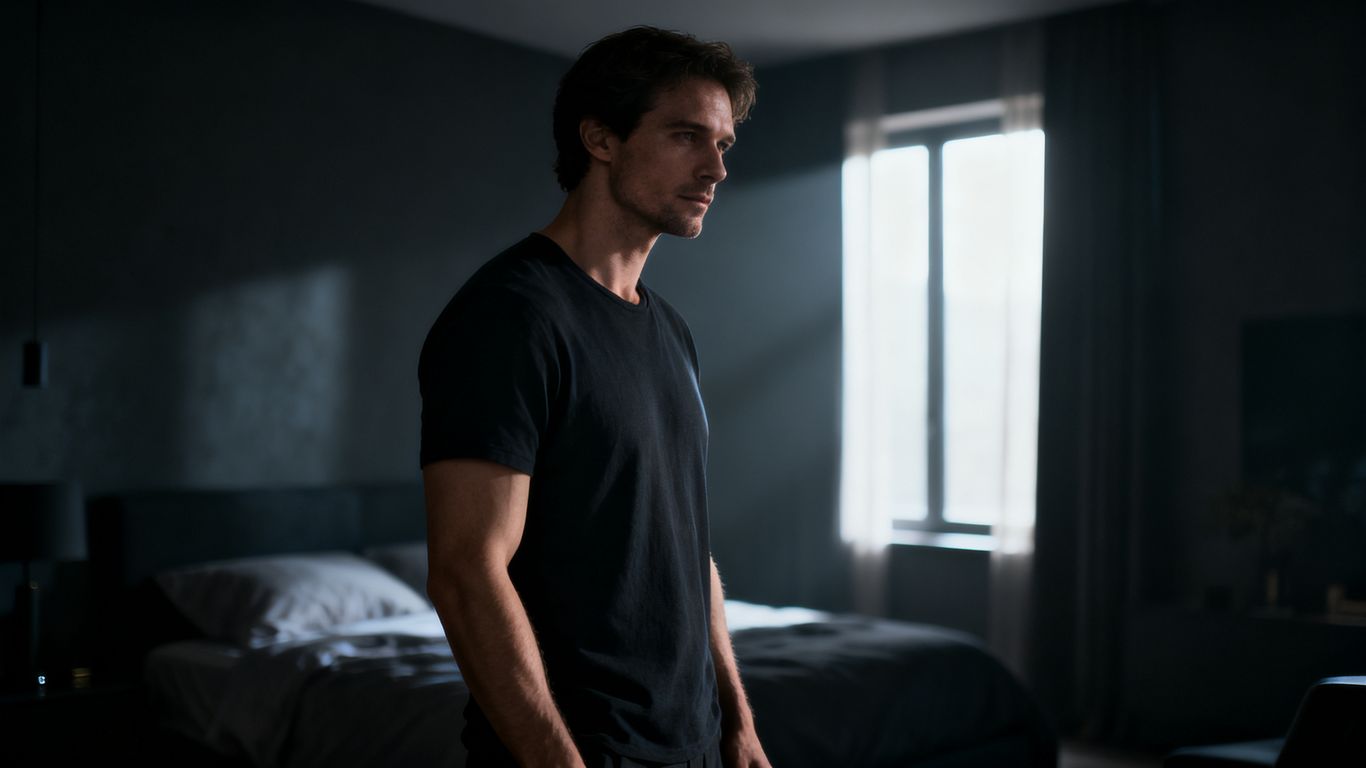
Identity usually holds better when the face remains visible and the new scene does not require a radically different head angle. Keep hair, facial hair, age, and key proportions consistent while changing the background or wardrobe. If the face drifts, return to a simpler composition and reduce the number of requested changes.
You can also build a small visual series by keeping one reference and varying the location, lighting, or outfit. Compare the outputs side by side. Consistency is easier to judge as a group than from a single image viewed in isolation.
Adjusting realism, anime, and artistic treatments
Realistic results benefit from specific light, lens, skin texture, and environmental detail. Anime treatments need clear direction about linework, cel shading, eye design, and color blocking. Painterly or editorial styles work best when you name the broad treatment and then describe the subject plainly.
Do not mix incompatible style instructions unless the blend is intentional. A prompt that asks for documentary realism, flat cel shading, oil paint texture, and glossy fashion photography at once may produce an unstable result. Pick a primary style, then add one secondary influence if needed.
Managing body proportions and anatomy
Hands, feet, shoulders, and hips deserve extra review because they are frequent points of distortion. A reference with a simple pose gives the model fewer overlapping limbs to interpret. When anatomy slips, ask for a natural adult human body, correct proportions, visible hands, and a balanced stance, then simplify the scene if the problem remains.
Avoid treating a single output as proof that the prompt works. Generate a few controlled variations and compare the same areas each time. If a pose repeatedly creates errors, select a more ordinary pose or use a closer crop that does not require the full body to be reconstructed.
Choosing aspect ratios for portraits and full-body images
The aspect ratio should match the intended use. Tall formats suit standing figures and profile portraits, while square frames are useful for avatars and compact galleries. Wide frames give the setting more space and can support a cinematic scene, but they may make the subject smaller.
| Intended image | Useful framing | Main priority |
|---|---|---|
| Face-focused portrait | Vertical close or medium shot | Facial detail and expression |
| Half-body scene | Portrait or square frame | Pose, clothing, and background balance |
| Full-body image | Tall vertical frame | Feet, posture, and proportions |
| Environmental composition | Wide horizontal frame | Subject plus location |
The table is a starting point, not a strict rule. Test the ratio with the same source and prompt before changing other variables, then choose the framing that keeps the subject readable.
Building a private adult-content workflow
Privacy is a practical part of image generation, not a final cleanup step. Decide what you are allowed to upload, where files will be stored, and whether the result is for personal use or publication. Use adult subjects only, keep consent clear, and read the rules of the service before generating explicit material. A slower, deliberate workflow protects both the creator and the people represented.
Confirming age and consent before generating
Every recognizable person in an adult image should be an adult who has agreed to the specific use of their likeness. Do not rely on appearance alone to judge age. If there is any uncertainty, stop and use a fictional adult or an authorized source instead.
Consent should cover transformation into sexual or nude imagery, not just ordinary photo editing. If the image will be shared or sold, discuss that use separately. Clear boundaries matter even when the final result is synthetic.
Keeping uploaded files and results private
Use a dedicated folder with access controls, remove files from shared devices, and review cloud backup settings. Rename files with neutral identifiers when privacy matters, and avoid storing source images in public galleries or shared workspaces. Delete failed experiments and unused copies on a schedule.
Check visibility settings after each generation. A private result should not become public because of a gallery toggle, a shared link, or an automatic upload setting. The Animator Hub blog is also a useful place to read more about private, anonymous adult creation workflows.
Reviewing platform rules and prohibited content
Terms and content policies vary, so read them before uploading a reference. At minimum, avoid minors, sexualized young-looking subjects, coercive scenarios involving real people, and material that violates local law. A service may also have rules about public sharing, impersonation, or copyrighted characters.
Do not try to bypass an age gate or policy with euphemisms. Describe adult subjects accurately, keep records of permission where appropriate, and stop when a request crosses a safety or legal boundary. Responsible use gives you a clearer basis for keeping work private.
Using anonymous accounts and privacy-focused payments
An anonymous-feeling account can reduce the amount of personal information exposed in ordinary browsing and billing. Use a separate email where lawful, avoid adding identifying profile details, and review what appears in account settings or public galleries. Privacy-focused payments may help, but they do not remove your responsibility to follow local regulations.
Before paying, check whether credits expire, how transactions are recorded, and whether uploaded files are tied to your account. Read the privacy policy and terms rather than assuming that “private” means no data is retained anywhere.
Using Animator Hub for related adult creation workflows
Animator Hub is an 18+ AI video generation platform with text-to-video, image-to-video, and video-to-video modes. Its documented workflow supports cinematic 1080p clips from text, still images, or existing video sources, with pay-as-you-go billing rather than a required subscription. This makes it a natural next step when a refined still needs movement, camera action, or scene dynamics. Use the same consent and age checks that apply to any adult visual project.
When image-to-video is a better fit than image-to-image
Choose image-to-video when the still already has the right subject and composition but needs motion. The source image can guide the character, while the prompt describes movement, expression, camera behavior, lighting changes, or scene action. Choose image-to-image when the main job is changing the still itself.
For example, first correct the framing of a male portrait, then animate that approved image with a slow camera move and a restrained expression change. This two-step approach avoids asking one generation to solve identity, styling, composition, and motion all at once.
Animating a male reference image with motion prompts
The platform’s documented image-to-video mode accepts PNG, JPG, and WEBP still images and supports 5-, 10-, or 15-second clips. A motion prompt can describe natural movement, facial expression, and scene dynamics. Keep the movement modest at first, especially when the source shows hands, a full body, or a complex background.
A practical motion prompt might specify a gentle head turn, relaxed breathing, a slight shift of weight, and a slow push-in from the camera. Avoid stacking several fast actions into a short clip. Preview the result, note where motion breaks, and revise only that part.
Creating private photos and videos with an AI companion
The AI Lover experience supports personalized adult AI companions, including male and LGBTQ+ companion options, with chat and generated media features described in the product material. Users can create or select a character, exchange photos, videos, and voice notes in chat, and keep generated media in a private vault. Keep all character requests within adult safety rules and remember that a fictional companion does not change the need for responsible prompting.
This workflow suits creators who want a recurring character rather than unrelated one-off images. You can establish consistent appearance details, then request a new outfit, setting, or fantasy scene through the companion experience. The AI companion experience page provides related context for persistent adult characters and generated imagery.
Managing credits, generations, and saved media
Animator Hub uses a credit system in which one credit equals one second of generated video. The documented account tools include a private video library, albums, visibility controls, downloads, deletion, and regeneration for failed or expired videos. Keep an eye on duration and aspect ratio before submitting, since both affect the shape and cost of a generation.
A simple production habit helps: save the prompt beside the reference name, label each version, and delete tests that do not serve the project. Review visibility before sharing, and keep finished clips in albums so a larger series remains easy to manage.
Conclusion
Good adult image-to-image work comes from controlled references, plain prompts, careful composition, and firm consent and privacy practices. Start with a clear adult subject, change one variable at a time, and move to video only when motion adds something meaningful. With that foundation, private NSFW male image-to-image AI workflows become easier to repeat, review, and improve.
Frequently Asked Questions
What is NSFW male image-to-image AI?
It is a process that uses an existing image of an adult male subject as visual guidance for producing a new adult-oriented image based on a written prompt.
Can image-to-image AI preserve a person’s identity?
It can preserve some facial and physical traits, especially when the reference is clear and the requested changes are moderate. Identity may drift when the pose, angle, lighting, and style all change at once.
What kind of reference image works best?
A sharp, well-lit image with one clearly visible adult subject is a strong starting point. Choose a portrait for facial detail or a full-body source when posture and proportions matter more.
How can prompts improve male adult image results?
Describe the adult subject, pose, expression, clothing, setting, lighting, camera framing, and style in a simple order. Add negative prompts only for defects that actually appear in the output.
Is it legal to transform someone’s photo into adult content?
Laws vary, but using an identifiable person’s likeness for sexual imagery without permission can cause serious legal and personal harm. Obtain specific consent and check the rules that apply where you live.
Should I use image-to-image or image-to-video?
Use image-to-image when you need a new still with revised appearance or composition. Use image-to-video when the approved still needs movement, expressions, camera motion, or scene dynamics.
How do I keep adult AI images private?
Use authorized source files, limit account and folder access, review visibility settings, remove unnecessary metadata, and avoid public galleries or shared links unless you have chosen to publish the result.